
Let your EasyAgent create tasks, track progress, and manage updates automatically inside Asana, reducing manual work and helping your projects move faster.
Connect EasyAgent to Asana and manage your projects with simple prompts instead of manual clicks. Create tasks, assign teammates, update progress, and organize work — all by telling your agent what to do.

Create tasks, assign owners, and set deadlines with a simple prompt.

Move tasks, add comments, update statuses, and track progress effortlessly.

Get reminders, follow-ups, and updates without switching tools.
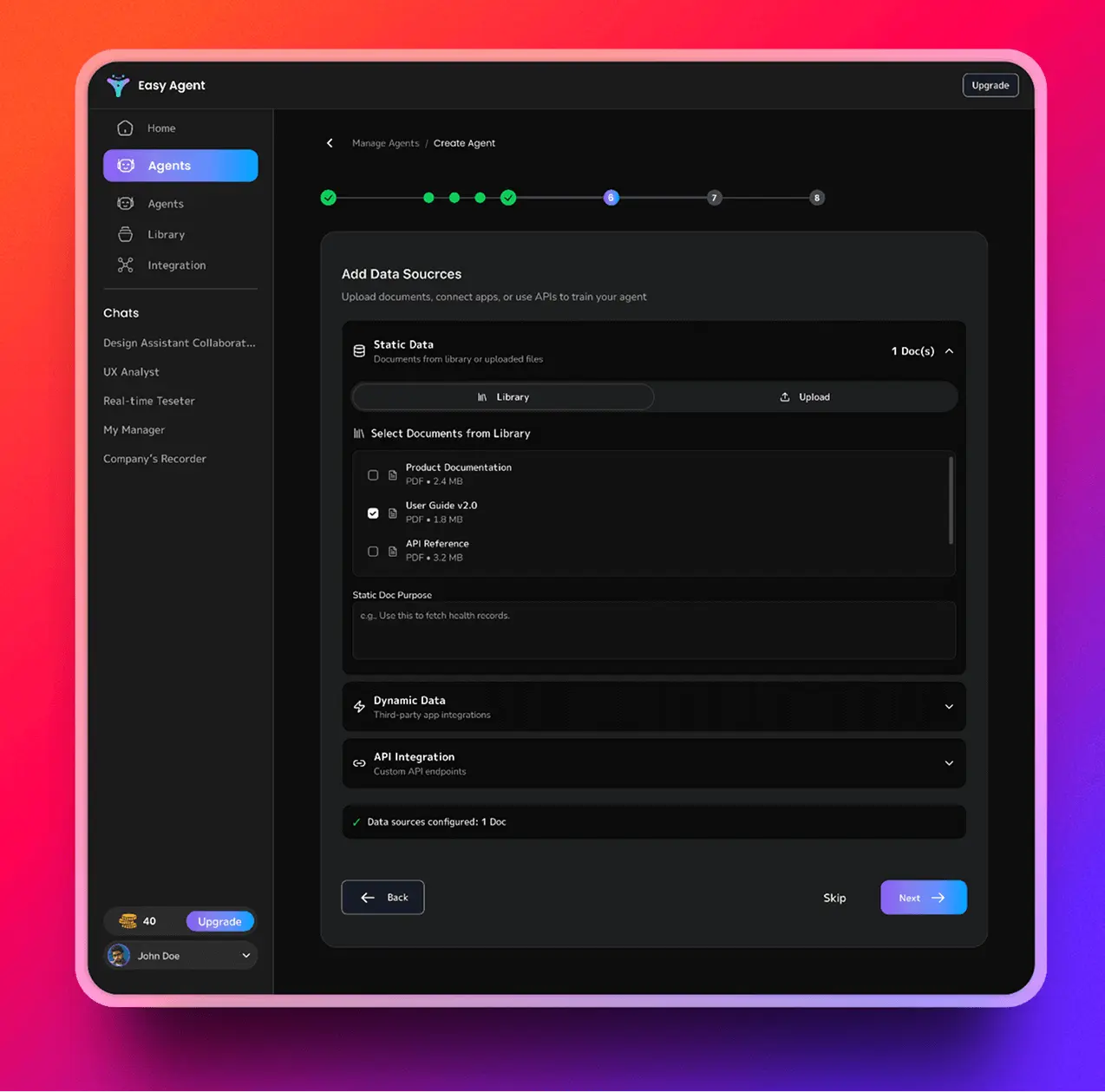
Keep tasks, updates, and project actions in one place — all handled by your EasyAgent.
Create tasks, assign teammates, and set deadlines directly from a single prompt in Asana.
Get clear summaries of progress, blockers, and recent changes without checking every task manually.
Ask your agent to fetch files, updates, comments, or ticket info — no need to jump across boards.
Your agent reminds you, updates tasks, and keeps work moving so nothing falls behind.
This short video shows you how to connect, prompt, and let your agent handle project work.
EasyAgent supports a wide range of task, project, and workflow operations inside Asana — all through simple prompts.
See how your daily project work changes when your AI agent handles tasks, updates, and follow-ups — instead of doing everything manually.
/slash commands + clicking through menus
Just ask in plain English:
Set it up once, and your EasyAgent can automate your Asana tasks, updates, and workflows with simple instructions.

Access your dashboard and choose Asana from the integrations list to begin the setup.

Paste your Asana API key or token into EasyAgent — no complex configuration required.

Teach your agent how you want tasks handled, who to assign, and how to manage your projects.

Automate task creation, tracking, and reminders with a single click
Real people, real projects — here’s how EasyAgent is helping teams work faster and stay organized inside Asana.
Gillette
“EasyAgent saves me so much time in Asana. I just tell it what I need, and the task is created and assigned instantly.”
Louis Vuitton
“Our team doesn’t chase updates anymore. The agent sends reminders and progress checks for us, which keeps everyone moving.”
Ferrari
“It feels like having a helper inside Asana. I get quick summaries, status updates, and all the small things handled automatically.”
Gillette
“It feels like having a helper inside Asana. I get quick summaries, status updates, and all the small things handled automatically.”
Your projects and data stay protected. Every action your agent performs in Asana is permission-based, encrypted, and fully under your control.
API-based secure authentication
No task or message data is stored by default
Full admin control at all times
Built with SOC2 / GDPR principles
Here are the most common questions about connecting Asana with EasyAgent, managing permissions, and automating your project workflows.
You log in to EasyAgent, select Asana from integrations, and paste your Asana API key. The setup takes less than a minute.
No. You choose exactly which projects or sections your agent can work in. Everything is permission-controlled.
Yes. Your agent can create tasks, assign teammates, change statuses, add comments, and manage deadlines based on your prompts.
By default, no. Your project data stays in Asana unless you enable a feature that requires saving specific information.
Yes. You can disconnect Asana anytime from EasyAgent or from your Asana admin settings.
No. Your existing setup stays the same. The agent only performs actions you explicitly request or allow.
👋 Ask anything — your EasyAgent is ready to respond.